Getting Started
Pi Session Manager — cross-platform app for browsing, searching, and managing Pi AI coding sessions.
What is Pi Session Manager?
Pi Session Manager is a cross-platform application for browsing, searching, and managing Pi AI coding sessions. It works as a native desktop app (macOS, Windows, Linux), a responsive mobile web app, and a headless server — all from a single codebase.
"The best tool is the one that gets out of your way." — Jef Raskin
Whether you're reviewing past conversations, searching for a specific code snippet across hundreds of sessions, or tracking your AI-assisted development workflow on a Kanban board, Pi Session Manager has you covered.
Key Features
- Session Browser — List, project, directory, and Kanban views with favorites and batch export
- Full-Text Search — SQLite FTS5 + Tantivy with role filters, session ID matching, and snippet highlighting
- Session Viewer — Tree view, flow visualization (React Flow), collapsible tool calls and thinking blocks
- Dashboard — Activity heatmap, project mix, model usage, token costs, achievements
- Built-in Terminal — Integrated xterm.js with PTY backend for resuming sessions
- Hierarchical Tags — Parent-child tag tree with auto-rules
- Multi-Platform — Desktop, mobile web, and headless CLI mode
- Multi-Protocol API — Tauri IPC, WebSocket, and HTTP all sharing one command router
UI Preview
| Home | Session Page |
|---|---|
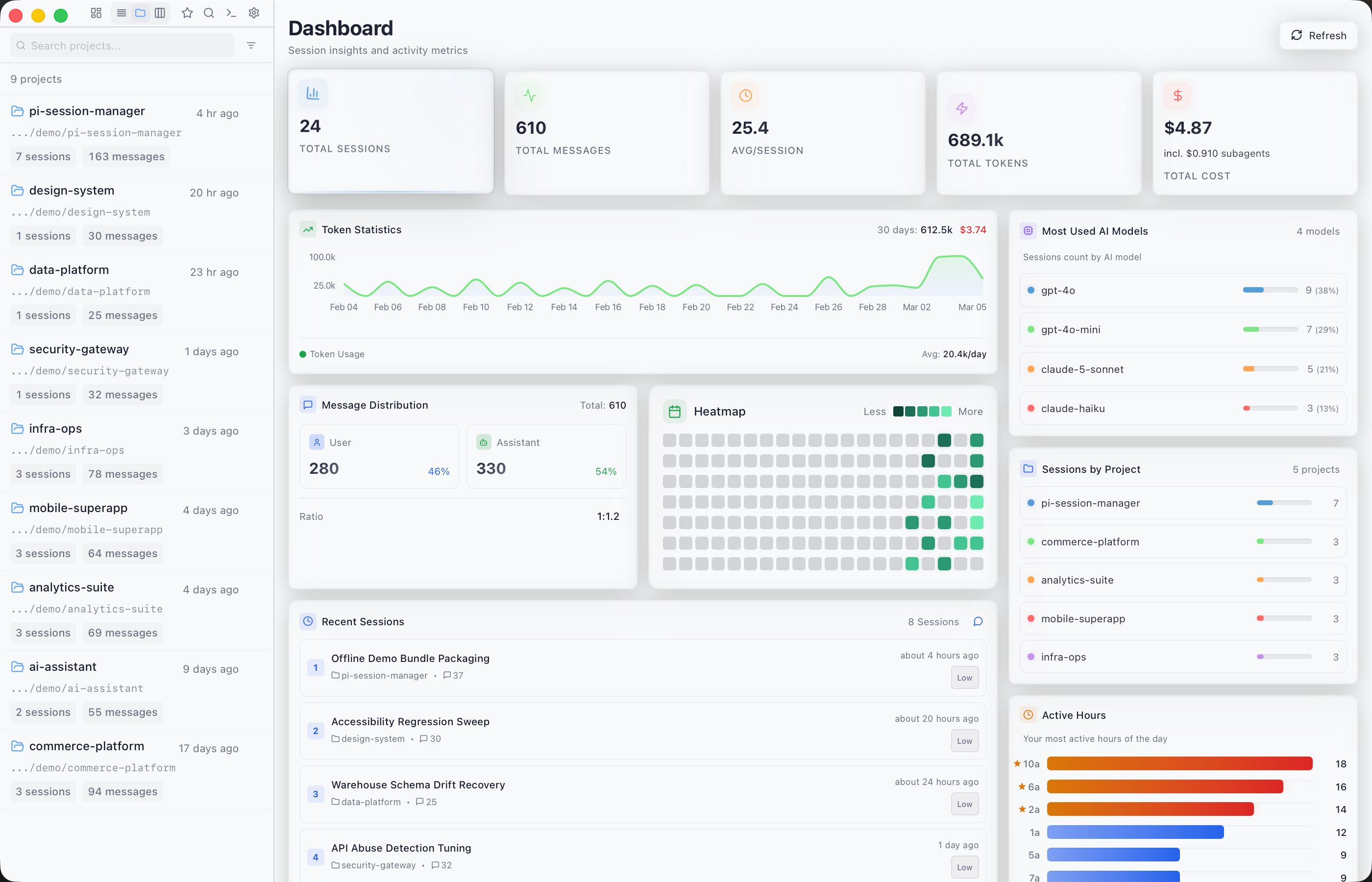 | 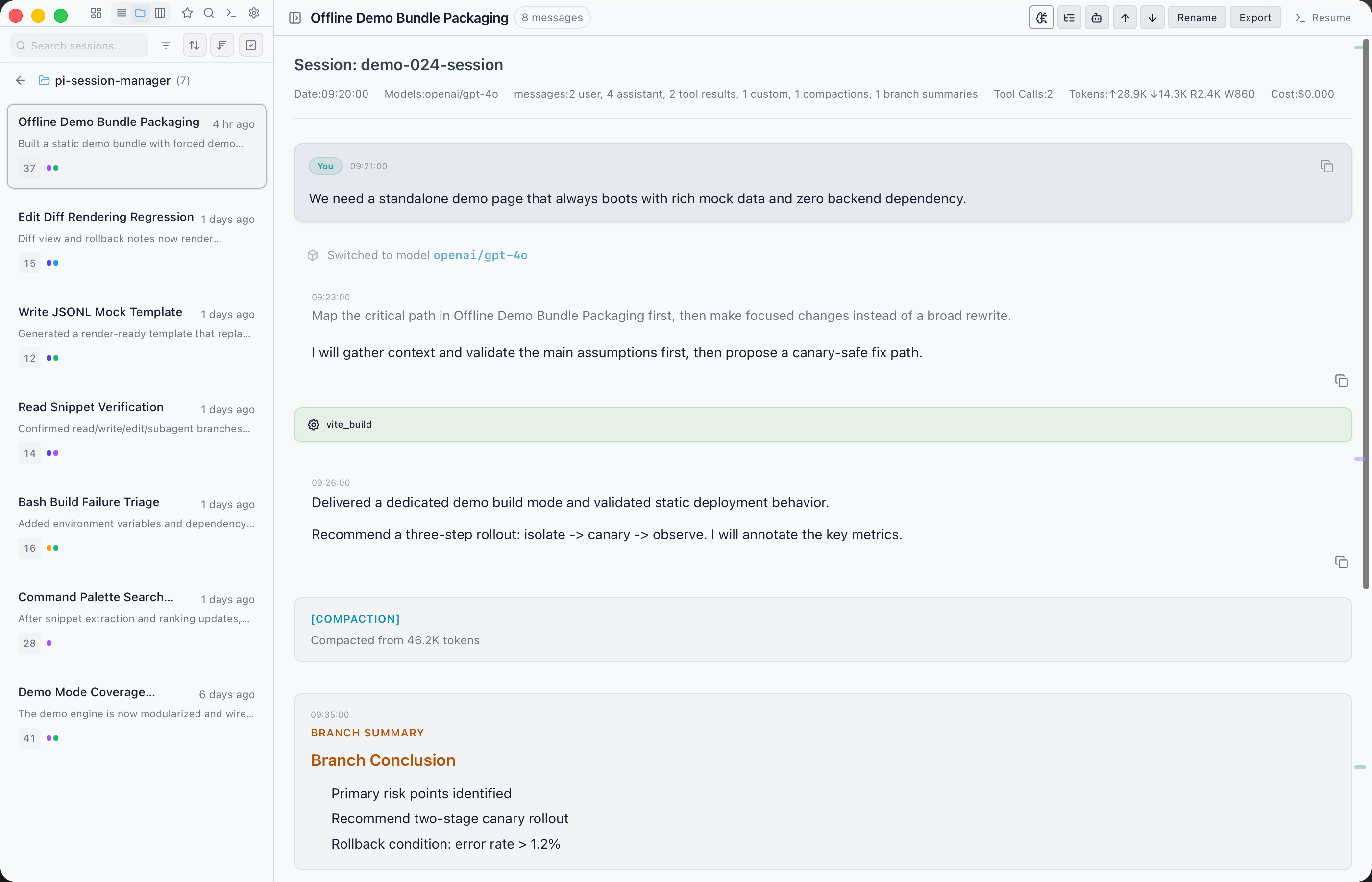 |
| Session Tree | Kanban |
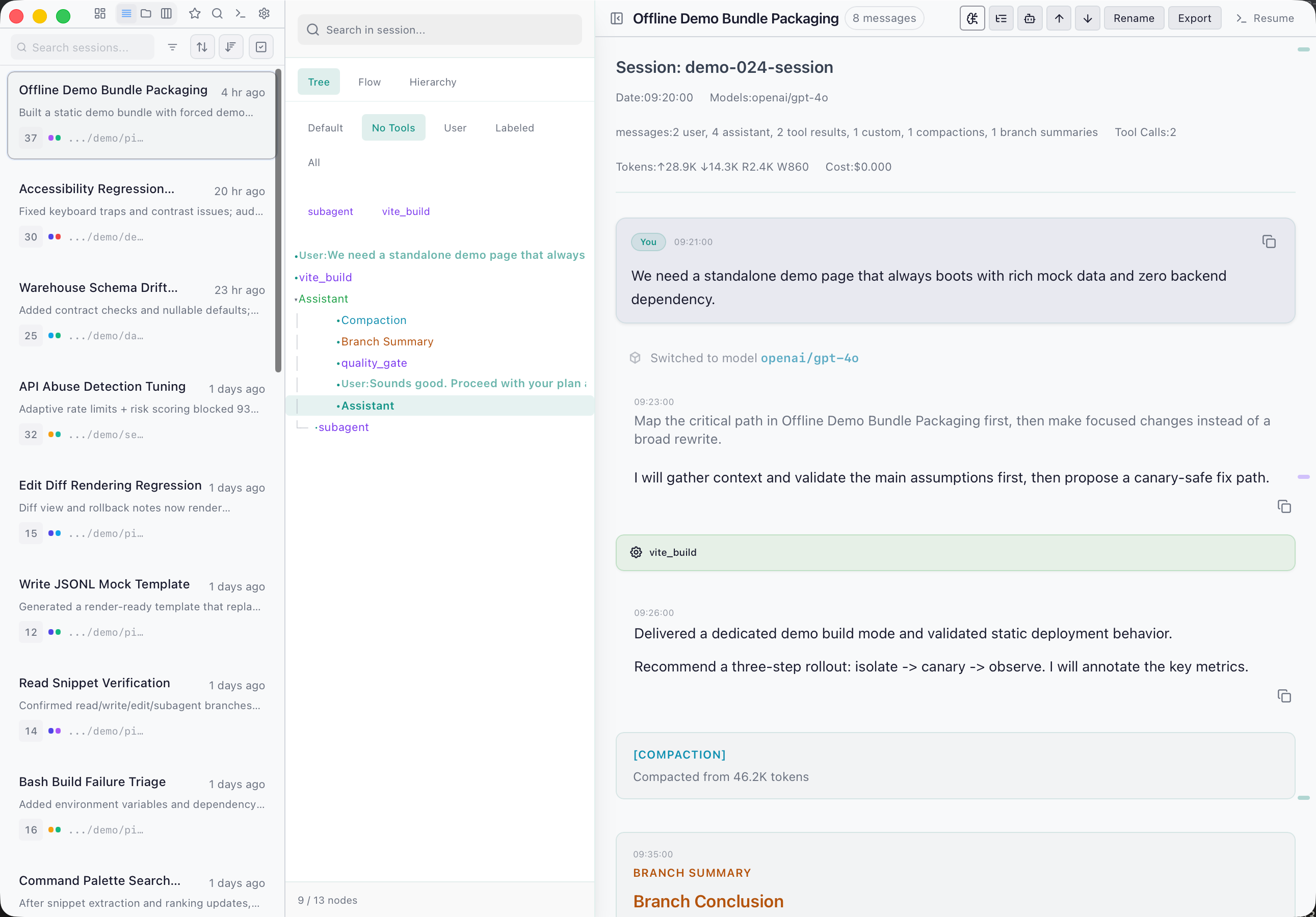 | 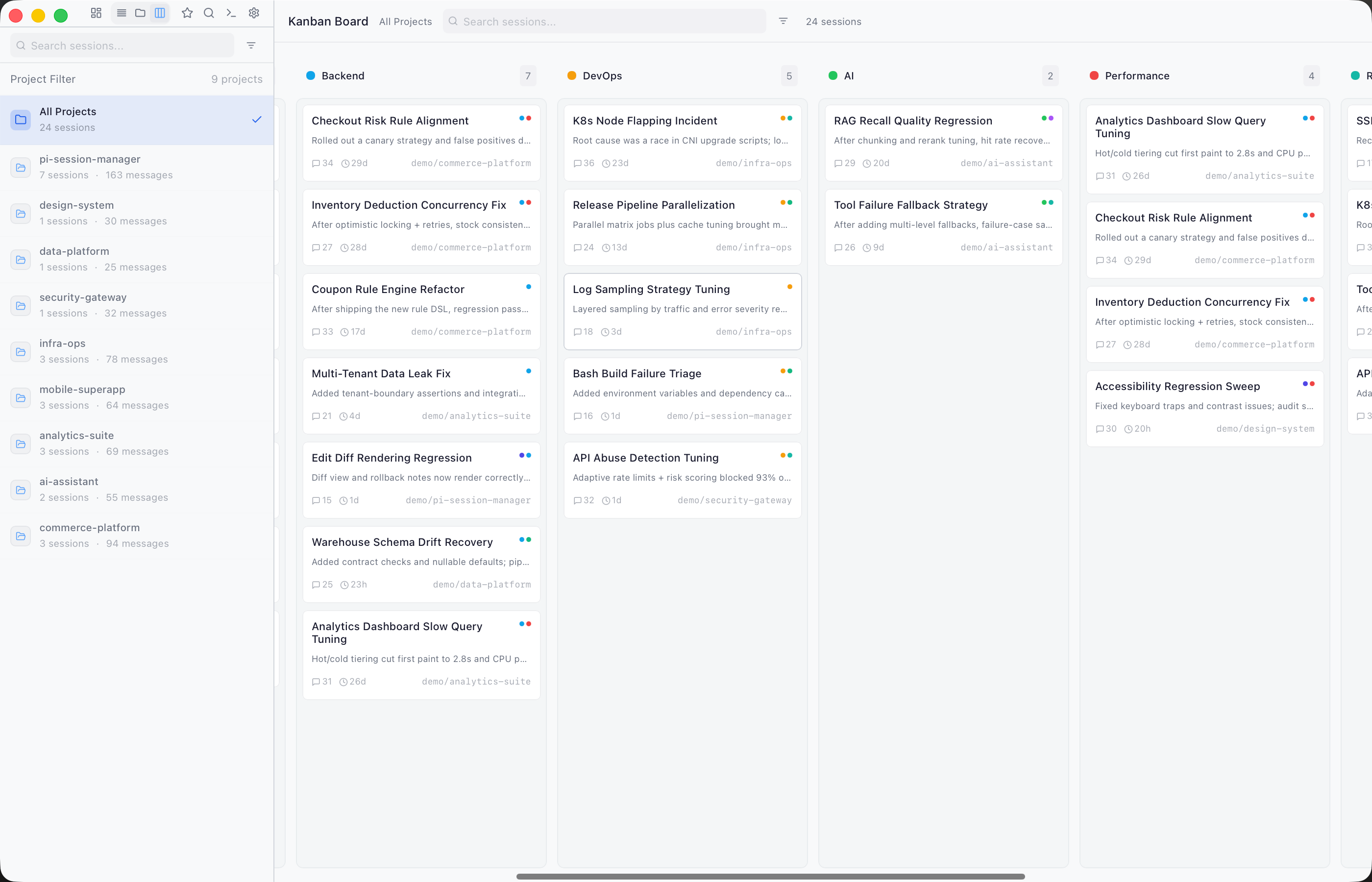 |
Quick Install
Desktop App
Download the latest release for your platform from GitHub Releases:
| Platform | File |
|---|---|
| macOS (Apple Silicon) | Pi.Session.Manager_*_aarch64.dmg |
| macOS (Intel) | Pi.Session.Manager_*_x64.dmg |
| Windows (x64) | Pi.Session.Manager_*_x64-setup.exe / .msi |
| Linux | .deb / .AppImage / .rpm |
CLI / Headless Server
Download the pi-session-cli binary from the same release page, or build with Docker:
docker build -f Dockerfile.cli -t pi-session-cli .
docker cp $(docker create pi-session-cli):/pi-session-cli ./pi-session-cli
chmod +x pi-session-cli
./pi-session-cli
Live demo preview: https://dwsy.github.io/pi-session-manager/demo/
Pi must be installed for session resume and terminal integration. Install it from github.com/badlogic/pi-mono.
First Launch
- Open the app — sessions from
~/.pi/agent/sessions/are scanned automatically - Browse sessions — switch between list, project, directory, or Kanban views
- Search — press
Cmd/Ctrl + Kfor the command palette, orCmd/Ctrl + Ffor sidebar search - View a session — click any session to open the viewer with tree navigation and flow visualization
- Open terminal — press
Cmd/Ctrl + Jto toggle the built-in terminal